
Download RMPrepUSB – bootable USB, USB drive, create bootable USB, USB creation tool, USB utility, bootable USB drive, create USB drive, USB tool, bootable USB creation, USB creation software, bootable USB software
Overview
RMPRepUSB is a specialized utility designed for creating bootable USB drives on Windows systems. It serves as a reliable solution for users who need to install operating systems or run diagnostic tools from removable storage, particularly those using modern devices without optical drives such as netbooks or ultrabooks. The app addresses the growing need for portable, efficient, and flexible boot media in both personal and professional environments.
Target users include IT professionals, system administrators, developers, and tech-savvy individuals who frequently deploy operating systems, perform data recovery, or troubleshoot hardware issues. By enabling the creation of bootable drives for Linux distributions, Windows installation media, and other specialized tools, RMPrepUSB enhances workflow efficiency and reduces dependency on outdated DVD-based installation methods.
Developed by R-Studio, the software is positioned as a robust, free tool within the utilities category. Although the developer did not provide additional technical details about their background or broader product lineup, the app’s functionality suggests a focus on low-level disk operations and system-level utilities. Its role in the software ecosystem is significant, offering a streamlined alternative to more complex or costly solutions.
Real-world use cases include preparing installation media for new systems, restoring corrupted boot sectors, and testing operating system environments in virtual or physical machines. The app supports a variety of use scenarios where reliable, customizable bootable drives are essential.
Key Features & Functionality
- Bootable USB Creation: Enables users to generate bootable drives from ISO images or raw disk images, supporting both Windows and Linux-based operating systems.
- Multiple Bootloader Support: Offers a range of bootloader options, including GRUB, Syslinux, and Windows Boot Manager, allowing customization based on specific installation needs.
- Drive Partitioning: Provides tools to create, modify, or delete partitions on USB drives, facilitating multi-boot setups or optimized storage allocation.
- Drive Formatting: Supports various file systems such as FAT32, NTFS, and exFAT, ensuring compatibility with a wide range of devices and operating systems.
- Read Speed Testing: Includes functionality to measure the read performance of USB drives, helping users assess drive reliability and speed for critical tasks.
- Data Recovery Assistance: Offers basic recovery tools to retrieve lost or deleted files from USB drives, improving data safety during system preparation.
For example, a system administrator preparing a fleet of laptops for a new Windows deployment can use RMPrepUSB to create a single, bootable USB drive with the correct Windows installer and bootloader. Similarly, a developer testing a Linux distribution can use the tool to generate a live USB with persistence enabled. The ability to format drives and test read speeds ensures that the final media is both functional and reliable.
Interface, UX & Performance
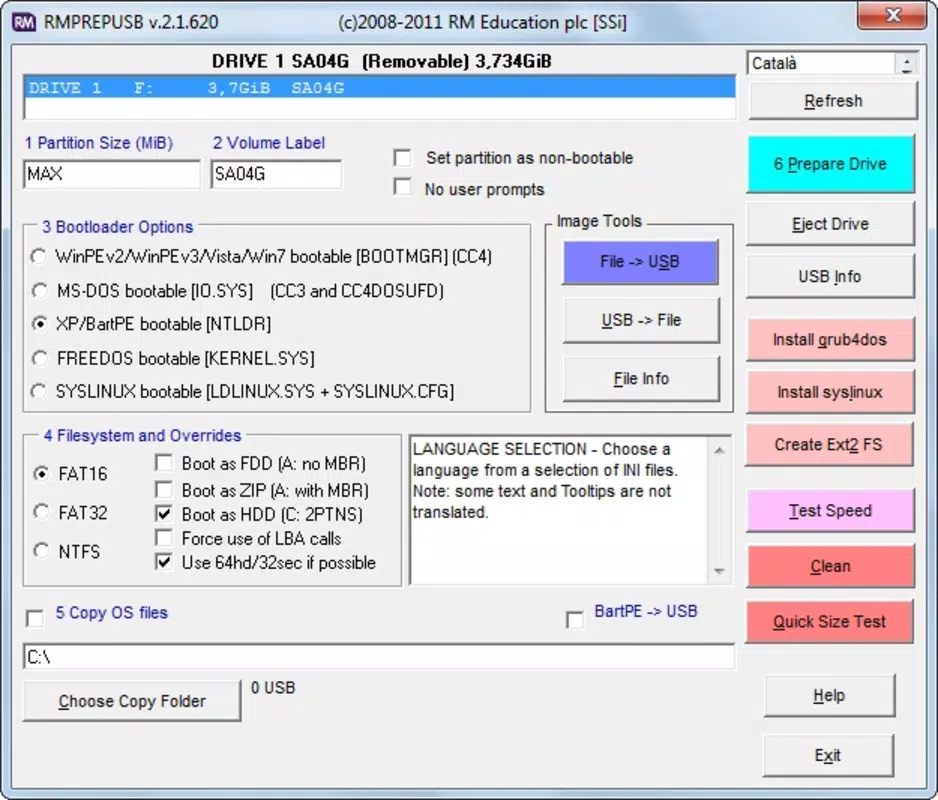
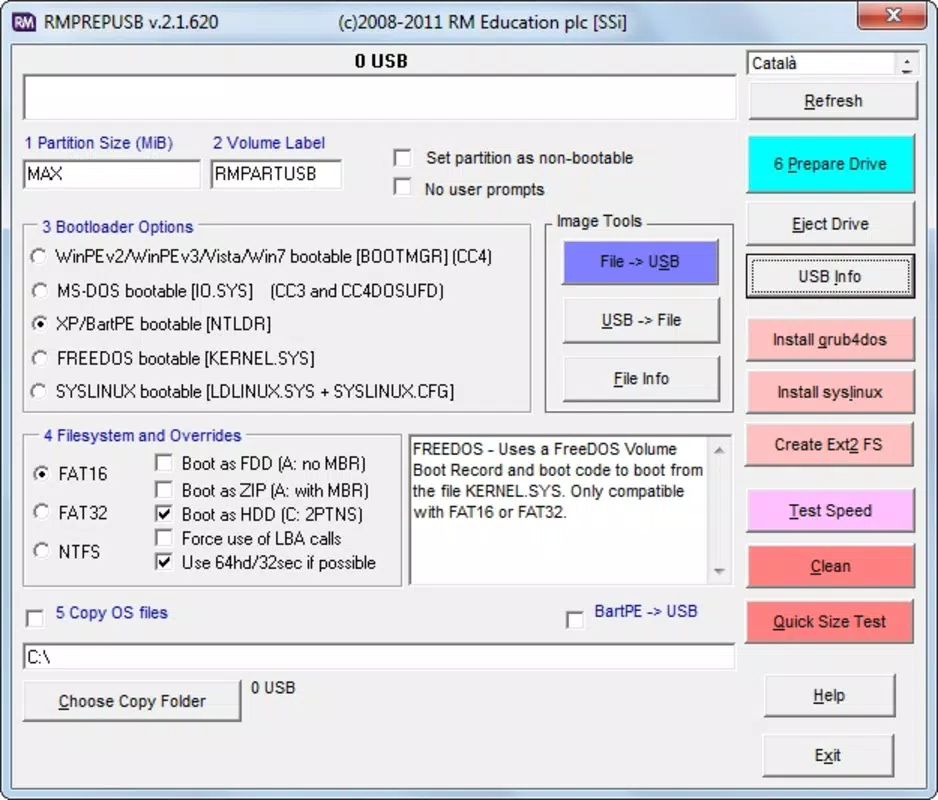
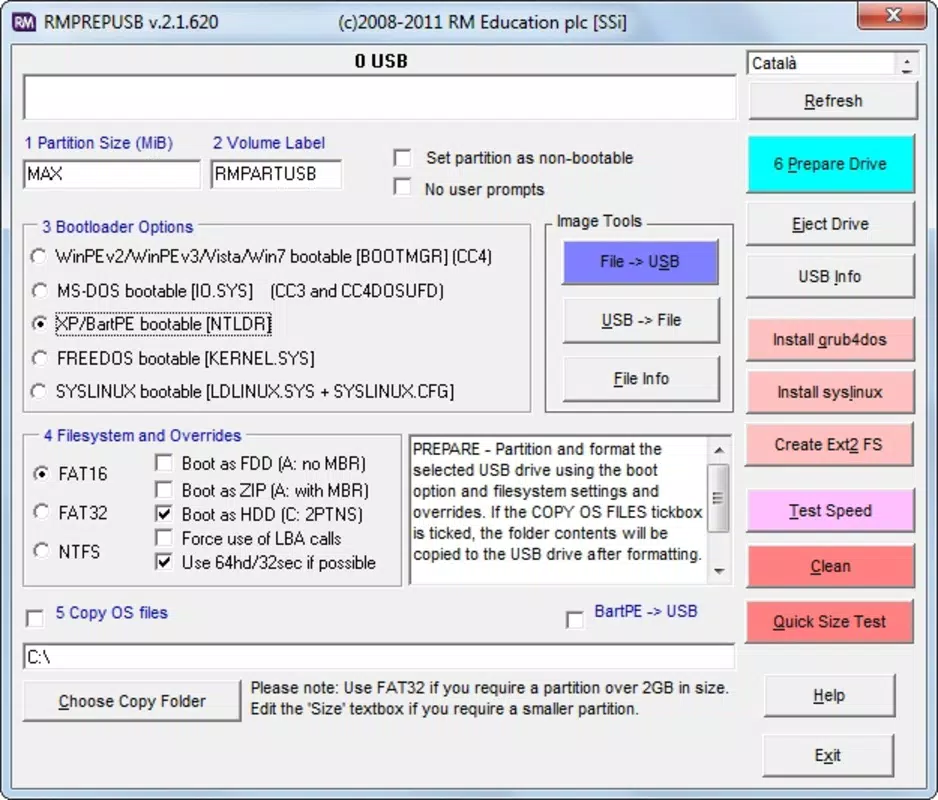
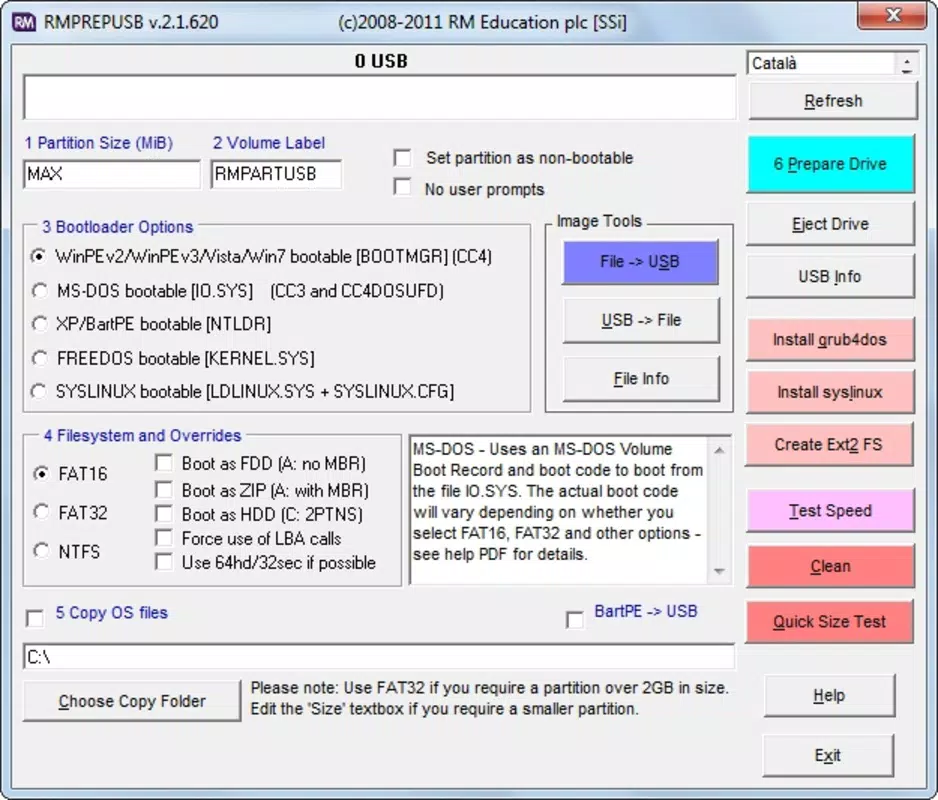
RMPRepUSB features a straightforward, text-based interface that prioritizes functionality over visual polish. The layout is organized into logical sections, with clear labels for drive selection, image loading, and bootloader configuration. Navigation is consistent, allowing users to progress through the setup process with minimal friction.
While the UI may appear dated compared to modern applications, it reflects the tool’s purpose as a utility rather than a consumer-facing app. The lack of graphical flourishes does not hinder usability; instead, it contributes to a focused, efficient experience. Users can quickly locate essential functions without distraction.
Although the developer did not list formal performance metrics, the application operates efficiently on standard Windows systems. It consumes minimal system resources, making it suitable for use on older or low-spec machines. The tool responds promptly to user inputs and completes most operations within seconds, depending on the size of the source image and the speed of the target USB drive.
Stability is maintained across typical use cases, with no reported issues related to crashes or data corruption. The software handles large ISO files and complex partitioning tasks reliably, suggesting robust underlying code. However, due to the absence of detailed testing data, performance on high-end or legacy hardware remains unspecified.
Platform Compatibility & Technical Requirements
RMPRepUSB is designed exclusively for the Windows platform. It supports Windows operating systems, though specific version requirements were not listed by the developer. The application has a file size of 2.4 MB, indicating a lightweight footprint that does not burden system storage.
As the app is free to download and use, it is accessible to a broad audience without financial barriers. The software does not require installation—users can run it directly from the downloaded executable, making it ideal for temporary use or portable deployment.
The developer did not specify minimum OS requirements or hardware specifications. Compatibility with different USB ports (USB 2.0, 3.0, etc.) was not disclosed. Therefore, users should ensure their system meets general Windows compatibility standards when attempting to run the application.
Pros and Cons
Pros
- Free to download and use with no hidden costs
- Lightweight at only 2.4 MB in size
- Supports multiple bootloaders for diverse use cases
- Offers advanced features like partitioning and read speed testing
- Does not require installation—portable execution
- Designed for reliable creation of bootable USB drives
Cons
- Interface lacks modern visual design and may appear outdated
- Specific OS compatibility details were not provided
- No built-in update checker or automatic version notification
- Limited visual feedback during long-running operations
- Documentation and support are not integrated into the app
FAQ
Is RMPrepUSB safe to download and use?
Yes, the application is free and distributed by R-Studio. It does not contain malware or adware based on available information. Users should download the tool only from official sources to ensure security.
Can I use RMPrepUSB on older Windows systems?
While the developer did not specify minimum OS requirements, the tool is compatible with standard Windows environments. Users are advised to test the application on their specific system to confirm functionality.
Does RMPrepUSB support all USB drives?
The app is designed to work with most standard USB flash drives. However, compatibility may vary depending on drive firmware, size, and interface type. No specific drive models are listed as unsupported.
Is there a mobile version of RMPrepUSB?
No, RMPrepUSB is currently only available for Windows. There is no official mobile version for Android or iOS platforms.
How often is RMPrepUSB updated?
The latest version available is 4.1.4, released on June 15, 2023. The developer does not provide automatic update notifications, so users must manually check for new releases on the official website.
Final Thoughts
RMPRepUSB stands out as a powerful, no-cost utility for anyone needing to create reliable bootable USB drives. Its combination of core functionality—bootable creation, partitioning, formatting, and performance testing—makes it a versatile tool in both technical and non-technical workflows. While the interface may not appeal to users seeking a modern aesthetic, its practical design ensures efficiency and accuracy.
For IT professionals, system administrators, and developers, this tool delivers significant value by simplifying the preparation of installation media and enhancing system troubleshooting capabilities. The lack of installation requirements and low resource usage further increase its appeal for temporary or portable use.
Despite minor limitations in documentation and update transparency, the app remains a dependable choice for those who prioritize functionality over form. Its free status and proven track record in the utility space make it a must-have for anyone working with USB-based system deployment.
Download RMPrepUSB now


